Find & Hire TV Production Crew in Minutes, Not Days
Post a job, reach your crew network, and confirm availability — all in one platform built for TV production chiefs and freelancers.
How it works
How to Hire Your TV Production Crew in 6 Steps
Create a project, invite your crew, and lock in your roster — all before lunch.
01.Create Your Project
Enter your project dates, departments, and the positions you need to fill. This becomes your job posting.
02.Complete Your Profile
Crew members add their skills, departments, and qualifications so crew chiefs can find them when staffing.
03.Search & Invite
Search for crew by skill, department, or position. Send job invitations to your team or anyone on the platform.
04.Receive & Respond
Crew members get notified with project details and can accept, partially accept, or decline — and recommend a colleague.
05.Review Responses
See who’s available, who’s partially available, and who declined. Check recommendations from crew who couldn’t make it.
06.Shortlist & Contact
Build your shortlist from responses and recommendations, then reach out directly by email, text, or call.

Complete Crew Management Tools for TV Production
From job postings to confirmed rosters — manage every step of crew staffing with tools designed for production professionals.
Create and manage projects with ease. Organize tasks and track progress efficiently.
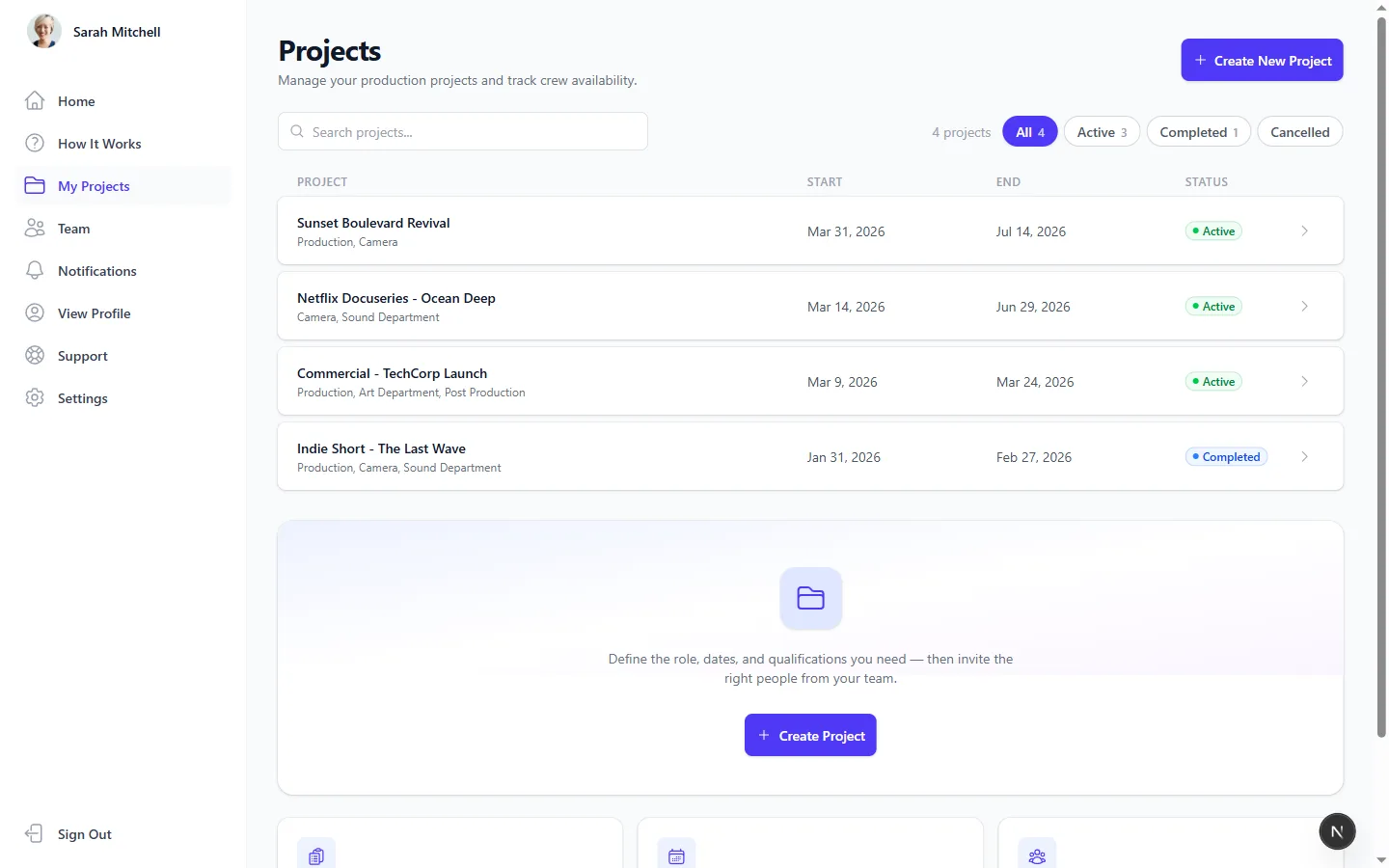
Streamline Crew Hiring & Team Management
Work Whales brings your job invites, crew directory, and professional profiles into one organized space so you can focus on the production.
Job Invites
Instantly reach matching freelancers in your network.
Stop spending hours on the phone checking availability. Post a job and send invites directly to your trusted crew members.
Real-Time Responses
Get availability updates and colleague recommendations instantly.
Freelancers can respond to job invites with a single click, or recommend available colleagues if they are already booked.
Professional Profiles
Showcase your skills, union status, and experience to get hired faster.
Freelancers can build comprehensive profiles highlighting their department, position, skills, and qualifications to stand out.

Get started today
Take control of your projects with Work Whales. Start managing, collaborating, and staying on top of everything effortlessly.
Trusted by TV Production Chiefs & Freelance Crews
Work Whales helps producers and freelancers build better productions through superior organization and seamless collaboration.
Work Whales has completely transformed how I book my crew. I save hours of phone calls for every production just by sending out targeted invites.
Sheryl BergeCEO at Lynch LLC
Finally, a platform that understands the TV production industry. Being able to see who is available instantly is a massive time-saver for our agency.
Amy HahnDirector at Velocity Industries
As a freelancer, Work Whales makes it incredibly easy to manage my availability and showcase my union status to producers looking to hire.
Leland KiehnFounder of Kiehn and Sons
We used to lose text messages and emails about who was working what dates. With Work Whales, our entire roster and their availability is centralized and clear.
Erin PowlowskiCOO at Armstrong Inc
The ability to search for talent based on specific production skills and department roles is brilliant. It makes finding the right Camera Operator a breeze.
Peter RenoldsFounder of West Inc
From onboarding to wrapping the project, Work Whales helps us keep our crew aligned and our production running smoothly.
Amy HahnDirector at Velocity Industries

Frequently asked questions
If you can’t find what you’re looking for, feel free to reach out to our support team and we will get back to you as soon as possible.
Is Work Whales free for freelancers?
Yes! Freelancers can create a profile, respond to job invites, and recommend colleagues entirely for free.
How do I invite crew members to a project?
You can easily search your network and send job invites with specific dates. Your crew will get notified and can accept or decline instantly.
Can I track union memberships and specific skills?
Absolutely. Profiles support detailed information including department, position, specialized skills, and union status to make hiring easier.
What happens if a freelancer declines my invite?
If a freelancer is unavailable, they have the option to recommend trusted colleagues for the position, helping you fill the role faster.
Can I use Work Whales for any size production?
Yes, whether you are managing a small indie shoot or a massive union network television series, our platform scales to fit your crew needs.
How do I add people to my team network?
You can invite freelancers directly via email. Once they register, they will be automatically linked to your network so you can invite them to future projects.
Do freelancers need to download an app?
No, Work Whales is entirely web-based and highly optimized for mobile devices, so your crew can respond from anywhere via their phone browser.
How are notifications handled?
Users receive personalized notifications for job invites, team invites, and response updates directly within the platform and via email.
What happens if I forget my password?
You can securely reset your password through our automated email recovery system at any time from the login screen.